In-person payments
Power your in-person sales
Wherever or however you sell, cut costs and settle all your earnings in one account within 24 hours — even on weekends.
Fees and T&Cs apply.
Operate globally with one account
Get startedIntegrated ecosystem
Manage your sales, business finances, and service toolkit with one trusted provider.
Low fees. Fast payouts.
Find your next-generation device to start selling with competitive rates and 24-hour settlement.¹
Promote your business
Let Revolut customers find you by running a Promotions campaign in the Shops map in-app. You only pay for sales, not clicks.
Sell on your terms with the Terminal
Take our Terminal wherever you take payments. With built-in Revolut Pay and reliable eSIM connectivity, you can save time and money with competitive rates and fast payment processing.Discover more

Advanced Point of Sale features. No extra cost.
Customisable catalogue
Tailor your menus and catalogues so they’re easy to navigate. Add images, offer eat-in or takeaway, and more.
More than a floor plan
Track orders, seating availability, and dining duration — all on one screen.
Analytics
Make data-driven decisions with built-in analytics. Track what’s selling best by location, product, or sales period.
Integrated hardware
Trigger payments on the till from your POS app for faster service.
Customisable catalogue
Tailor your menus and catalogues so they’re easy to navigate. Add images, offer eat-in or takeaway, and more.
More than a floor plan
Track orders, seating availability, and dining duration — all on one screen.
Analytics
Make data-driven decisions with built-in analytics. Track what’s selling best by location, product, or sales period.
Integrated hardware
Trigger payments on the till from your POS app for faster service.
You must have a Revolut Business account to use Revolut POS.
No hidden fees
Keep more of what you earn with payment processing fees built for businesses of all sizes. No monthly minimums. No set-up charges. Just competitive, transparent rates.
Fees exclude Revolut Business plan pricing.
Learn more





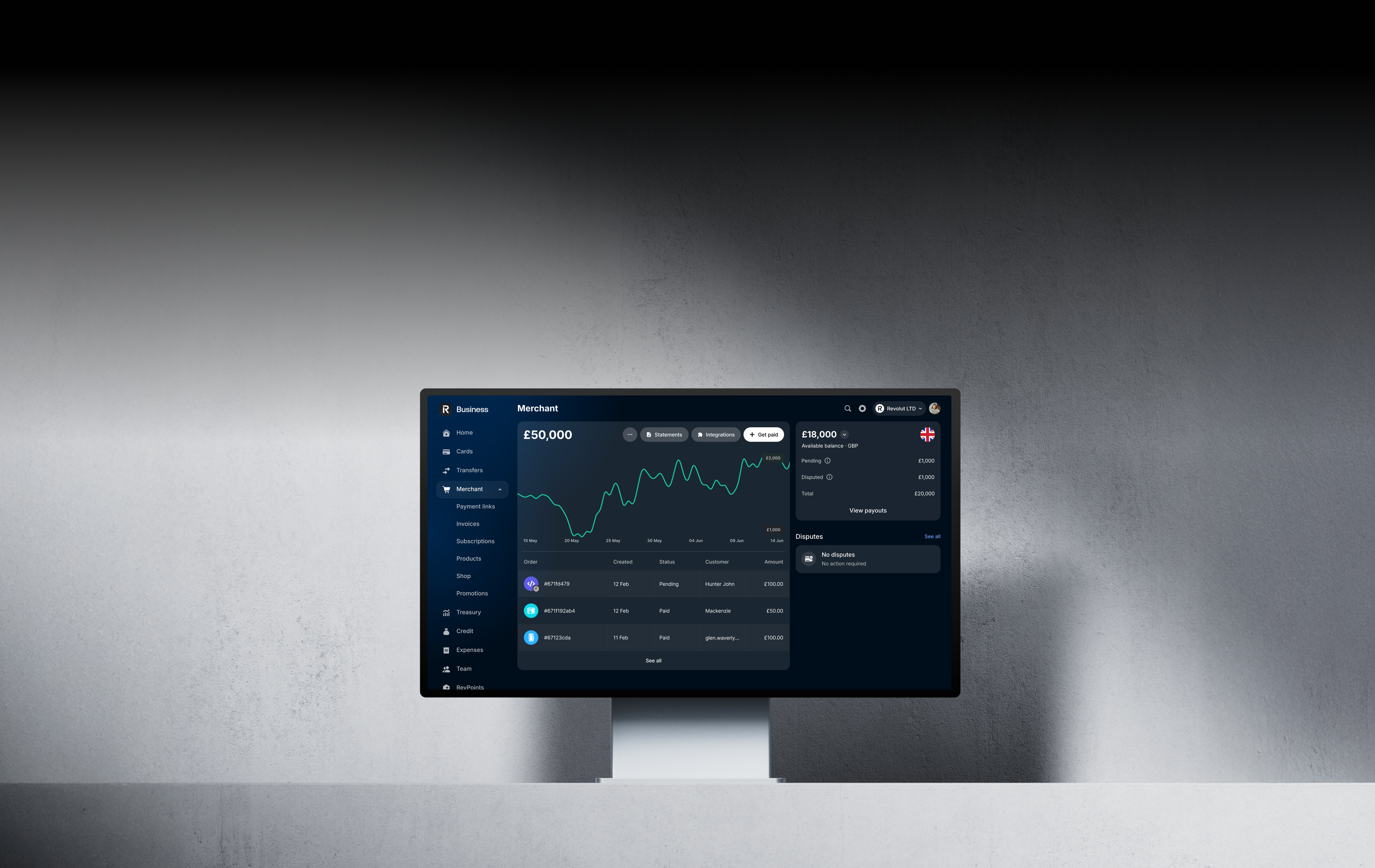

One platform. Total control.
Accept payments directly into the account you use to manage your company finances with Revolut Business. Then settle all your payments within 24 hours, even on holidays.
Get startedHow to set up a Merchant account
Get startedSign up for a Revolut Business account
It only takes about 10 minutes to apply.
Add a Merchant account
Select the category that best describes your business, and enter your business description.
Provide proof of business
This could be your registration listing, website, or social media page.
- “We used the Revolut Terminal to process payments at Primavera Sound. It’s fast, reliable, and with offline mode, payments kept flowing — ensuring seamless sales even during peak hours.”Marc Piedró, Sales Manager • Primavera Sound
- “Offering payment flexibility enhances the customer experience, increases satisfaction, and can drive higher sales. Accepting Amex allows us to better meet our customers’ preferences and stay competitive in the market.”Paloma de los Mozos, Financial Manager • Flabelus
FAQs
Revolut Business offers a suite of fast and reliable in-person payment acceptance solutions to help you grow your sales. We keep our per-transaction fees competitive, so you have more cashflow to put back into growing your business.
Accept customer payments via major cards, mobile wallets, or Revolut Pay, then watch your money settle in your account within 24 hours. By accepting payments directly into the account you use for money management, we make it easy to streamline your sales operations.
Revolut Business offers a range of in-person payment acceptance solutions, whether you sell at the till or on the go:
- Take orders and card, contactless, and digital wallet payments with the Revolut Terminal. Use it as a Point of Sale, standalone sales device, or both
- Use Tap to Pay on iPhone to accept all types of in-person, contactless payments with just your iPhone and Revolut Business
Tap to Pay on iPhone lets you accept contactless payments directly on your iPhone, without the need for any additional hardware. There's no additional cost for Tap to Pay on iPhone when you have a Revolut Business account, and fees remain the same as all other payment methods.
Learn more about payment acceptance pricing.
To use Tap to Pay on iPhone:
- Open your Revolut Business mobile app → Merchant → New
- Select Tap to Pay on iPhone, and sign in to your Apple Account to accept the T&Cs
- Have your customer hold their card horizontally or their device over the contactless symbol at the top of your iPhone for a few seconds
- When you see the Done tick, the card read is complete and the transaction is being processed
The Revolut Terminal is a portable payment acceptance tool with cutting-edge Point of Sale features built in. So you can take customer orders and payments tableside with one standalone device.
Accept payments via major cards, mobile wallets, or Revolut Pay. Then watch your money settle in your account within 24 hours. By accepting payments directly into the account you use for money management, we make it easy to streamline your sales operations.
The Revolut Terminal comes at a one-time cost of €189 + VAT. No subscription fees or set-up charges. Learn more about payment acceptance pricing.
Order your Terminal from the Merchant section of the Revolut Business web or mobile app. Then follow these instructions:
- Turn your Terminal on, choose a language, and follow the steps to connect to Wi-Fi
- Log into your Revolut Business account, choose or add your shop location, and create a passcode for processing refunds
That's it. For more information, read our Terminal set-up guide.
At no extra cost with your Revolut Business account, Revolut Point of Sale (POS) app gives you access to a suite of cutting-edge features to run your in-person operations. Use it to:
- trigger payments on the till or Revolut Terminal
- keep tabs on your tables
- take customers orders ahead of time
- access sales analytics
- manage multiple locations and team members from one screen
To get started with our POS app, follow these steps:
- Open a Revolut Business account if you haven't already. You need an active account to use our POS, plus it gives you access to other business finance tools like expense management
- Set up your POS via the web portal or the iOS app by signing in with your Business account
- Then follow the instructions to import your products, add your floor plan, and more
- Order the Revolut Terminal or set up Tap to Pay on iPhone to trigger payments from your POS app
For more information, read our introduction guide. Our support team is ready to help you get set up — contact us 24/7 via our in-app chat for help.
To start accepting payments with any of our in‑person payment solutions, you need to sign up for a Revolut Business and Merchant account.
It's quick and easy:
- Fill out a short online form — it only takes about 10 minutes
- We’ll review your application as part of the account set-up process
- Once approved, we'll set up your account, and you'll be ready to go
Depending on the information provided, we may reach out for more details, and guide you through the required documents.
¹Payout schedule can vary according to our Fees and Payment Processing T&Cs.
Revolut Terminal, Point-of-sale, and Tap to Pay on iPhone fees and T&Cs apply.